Description
This post contains affiliate links.
Tired of the hassle of juggling multiple tools for your media conversions? Discover the all-in-one solution that simplifies your media processing workflow –
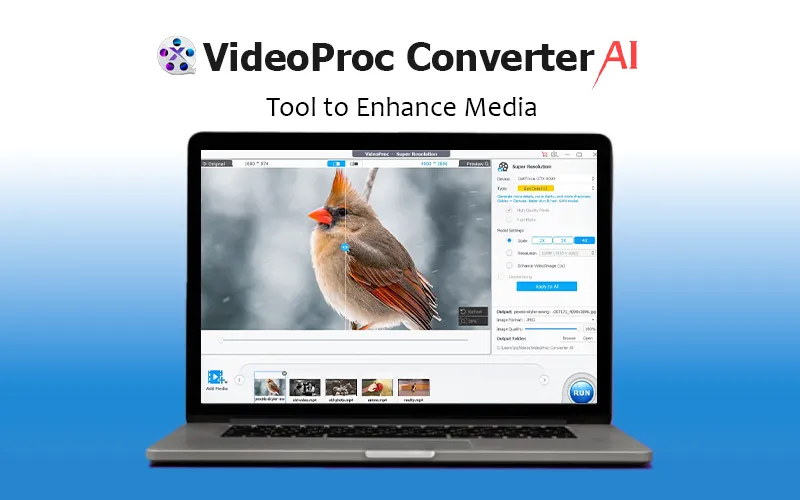
VideoProc Converter AI – Tool To Enhance Media
VideoProc Converter AI is an all-in-one media enhancer that allows you to enhance, upscale, smooth, stabilize, convert, compress, edit, download, and record videos/audio/images/DVDs.
It offers level-3 hardware acceleration, which is fully optimized for Intel QSV, NVIDIA CUDA/NVENC, and AMD GPUs, ensuring smooth and efficient performance.
VideoProc Converter AI supports almost every type of video, audio, and DVD with 320 built-in codecs and 420 output conversion presets.
Its AI Super Resolution leverages the latest AI models to generate more detail and clarity, making both videos and images sharper.
Moreover, this media enhancer allows you to adjust key file parameters such as frame rate, bit rate, GOP, aspect ratio, and more!
Introduction To VideoProc Converter AI (Windows)
Introduction To VideoProc Converter AI (Mac)
Features Of This Tool To Enhance Media
AI Video Enhancer
Upscale video resolution by 400% up to HD/4K
Enhance blurry, noisy, compressed video with more details
Convert low FPS to 60/120/240 FPS to create ultra-smooth videos
Stabilize shaky footage with precise frame correction
AI Image Enhancer
Enlarge image/photo/AI art by 2x, 3x and 4x up to 10K
Improve image quality by generating more realistic details
Denoise, deblur, remove compression artifacts, and sharpen images
Video/Audio/DVD Converter
Works with mainstream and rare video types: 4K, 60fps, HDR, etc
Convert videos to MP4, MKV, AVI, MOV, YouTube, etc
Transcode H.265 to H.264 for wider compatibility
Convert audio while preserving original sound quality
Convert video to audio, for example, MP4 to MP3
Back up/Digitize DVD to PC with favored chapters
Media Editing
Cut, merge, crop, rotate, flip, and adjust speed
Add filters, subtitles, text/watermarks to videos
Adjust audio volume, sync audio with video
Fine-tune Colors
Editing Toolkit
Deshake/denoise GoPro footage
Compress 4K/large-sized videos
Capture snapshots from video
Convert 3D video to 2D video
Pass through video stream to MKV
Make GIF from video
Export subtitle
Correct lens distortion (fisheye)
Media Downloader
Download online video, audio, and subtitles in bulk
Supports 1000+ popular sites and 2000+ niche sites
Options to pick video resolution (up to 8K)
Screen Recorder
Four recording modes: screen, webcam, PiP, green screen
Record full or part of screen in HD 1080p
Utilities to mark, crop, and highlight in real-time
Specifications of VideoProc Converter AI
Supported OS For Windows: Windows 7, 7/8.1, 10, 11 or later (32-bit and 64-bit supported)
Supported OS For Mac: MacOS High Sierra, Mojave, Catalina, Big Sur, Monterey, Ventura, Sonoma or higher. Support computers powered by the Apple Silicon chips: M1, M1 Pro, M1 Max, M1 Ultra, M2, M2 Pro, M2 Max, M2 Ultra, M3, M3 Pro, M3 Max
Preview of This AI Media Enhancer (Windows)
Super Resolution UI
Frame Interpolation UI
Stabilization UI
AI Video Upscaling
Output Profile UI
Screen Recorder UI
Video Editor UI
Preview of This AI Media Enhancer (Mac)
Output Profile
Video Editor
Video Player
Video Analyzer
Vidoe Compressor
Video Converter
Screen Recorder
VideoProc Converter AI (Mac) Reviews
If you shoot a lot of videos and want more flexibility in making them shine on any device, VideoProc Converter is for you. Instead of focusing on converting a video, or editing and adjusting it, this app does all the above.
Cult Of Mac
VideoProc is an efficient video editor, converter, recorder, and downloader that offers all the essential features you need to create professional-looking videos for social media platforms. The software supports 4K video editing, GPU acceleration, and batch processing. It’s also perfect for stabilizing shaky clips and removing noise and imperfections. Since the app also works with almost all available cameras and video and audio formats, it’s worth checking out.
Softonic
VideoProc Converter AI (Windows) Reviews
” If you are a content creator, you know how the quality of the videos and images impacts the Audience. If you wonder how to enhance video quality or how to make a picture clearer, VideoProc Converter AI is the tool that you need. ”
TheWindowsClub
” The quality of the upscaling in the Super Resolution section is quite impressive. I’ve used video and photo upscaling software that costs hundreds of bucks and have had similar results to the kinds of things I am getting out of VideoProc AI. The upscaling works on both videos and images. ”
maketecheasier
Deal Terms:
How to download/activate this product?
After completing your purchase, you will receive an instructions document. Follow the instructions in this document to redeem the coupon code and get access to this product.
What is the validity of the license key/coupon code? (Within how many days the coupon code must be redeemed?)
The coupon code must be redeemed within 30 days from the date of purchase.
Do you get Lifetime Access to this deal?
Yes, this deal gives you lifetime access to VideoProc Converter AI.
Lifetime means the lifetime of the product.
We try to get great products with longevity for our customers, but products do get acquired, or sometimes the products go bankrupt. Many of these products are startup companies, giving us a great deal for our customers. But in case of an unfortunate situation where the product does not last long, there is not much DealFuel can do about it.
Are Lifetime Updates available for this product?
Yes, lifetime updates are available for this product.
Is Lifetime support available for this product?
Yes, support is available. For support, contact – support@videoproc.com
Is this deal for new users only?
No, this deal is for both old & new users of VideoProc Converter AI.
How many users can use the license key/coupon code?
1 coupon code can be used for 1 user/account.
Are the coupon codes stackable?
No, the coupon codes are not stackable.
Can this product be accessed on all devices?
No, VideoProc Converter AI is accessible only on
Windows 7, 7/8.1, 10, 11 or later
MacOS High Sierra, Mojave, Catalina, Big Sur, Monterey, Ventura, Sonoma or higher
And computers powered by the Apple Silicon chips: M1, M1 Pro, M1 Max, M1 Ultra, M2, M2 Pro, M2 Max, M2 Ultra, M3, M3 Pro, M3 Max

Reviews
There are no reviews yet.