Description
This post contains affiliate links.
Struggling with large video files, compatibility issues, low-quality playback, and limited editing tools. That is why DealFuel brings to you –
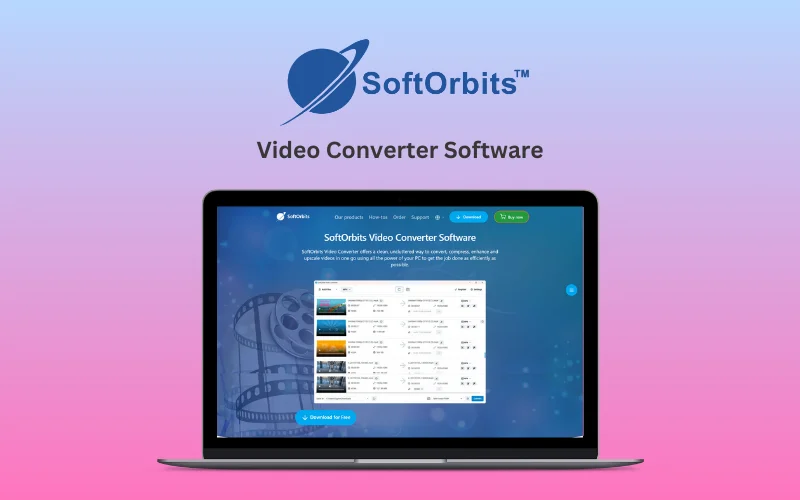
SoftOrbits – Video Converter Software:
SoftOrbits Video Converter Software helps you quickly convert video files between all popular formats (AVI, MP4, MOV, WMV, FLV, and more) for playback across various devices.
It includes built-in video editing tools, advanced AI features for video enhancement and upscaling, and full GPU support for ultra-fast processing.
Whether you want to trim, crop, add subtitles, or normalize audio, SoftOrbits Video Converter software delivers professional-quality results with minimum efforts.
How To Use Video Converter?
Add videos (add files/folders or drag and drop).
Click on the “Profile” drop-down box to select an output format. Customize the profile if required to change output quality.
Select the output folder and click Convert.
Specifications:
Windows 11/10/8.1/8/7 (32/64 bit)
Intel i3, AMD Ryzen 5 or above
4 GB of RAM or above
NVIDIA® GeForce® series 8 and 8M, Intel® HD Graphics 2000, Quadro FX 4800, Quadro FX 5600, AMD Radeon™ R600, Mobility Radeon™ HD 4330, Mobility FirePro™ series, Radeon™ R5 M230 or higher graphics card with up-to-date drivers
1280 × 768 screen resolution, 32-bit color
1 GB of free hard disk space or above
Features Of SoftOrbits – Video Converter Software:
Fast Video Conversion Speed:
Uses your PC’s full potential to perform video conversions at the fastest possible speed.
By leveraging your system’s CPU and GPU, the software minimizes conversion time, ensuring efficient processing without compromising quality.
Support for Multiple Video Formats:
Handles all popular and even some exotic video and audio formats.
It supports MP4, AVI, MOV, MKV, WMV, FLV, MP3, FLAC, and more, allowing you to convert videos seamlessly for any platform or device.
Compress Large Videos Without Quality Loss:
Offers intelligent video compression using hardware acceleration (Intel, AMD, NVIDIA).
AI Video Enhancement:
Improves clarity, reduces noise, stabilizes shaky footage, and removes compression artifacts to deliver clean, sharp visuals—even transforming 1080p videos into crisp 4K output.
Full GPU Acceleration for Video Conversion:
Utilize your GPU’s capabilities for faster decoding, processing, and encoding.
It supports Intel QuickSync, AMD VCE, and NVIDIA NVENC technologies, providing speed boosts that surpass even powerful CPUs for swift and efficient conversions.
Convert Video for Any Device:
Adapt your video resolution and format for playback on smartphones, tablets, and other devices.
Convert 4K videos to 1080p or lower to save storage and battery life while maintaining optimal visual quality for the target device.
Lossless Video Splitting:
Divide videos into segments without quality loss or re-encoding.
Ideal for trimming long content into manageable clips or creating fixed-length segments automatically.
Crop and Adjust Aspect Ratio:
Crop videos to fit specific aspect ratios, rotate, flip, or mirror footage, and ensure your videos display perfectly on any screen or device.
Adjust Volume, Brightness, and Colors:
Enhance your video’s appearance by adjusting brightness, contrast, and colors.
Merge Videos Seamlessly:
Merge different video files or episodes into a single cohesive video for uninterrupted playback.
Add Subtitles to Videos:
Insert subtitles with customizable font, size, and style. Precisely control the position and timing.
Add and Edit Audio Tracks:
Add or remove audio tracks, normalize volume, sync audio with video using delays, and eliminate background noise effortlessly.
AI Video Upscaling to 4K:
Transform SD or Full HD videos into 4K with AI-powered upscaling, enhancing visual clarity and detail for modern high-resolution displays.
User-Friendly Interface with Dark and Light Themes:
Features an intuitive interface with both dark and light modes, offering a clean, distraction-free experience tailored to your preference.
Sneak Peek Into Video Converter Software:
Trim Audio
Video Converter
Compress Video
Video Enhancer
Add Subtitles
Video Editor
Light/Dark Mode
Video Editor UI
Deal Terms:
How to download/activate this product?
After completing your purchase, you will receive an instructions document. Follow the instructions in this document to redeem the coupon code and get access to this product.
What is the validity of the license key/coupon code? (Within how many days the coupon code must be redeemed?)
The coupon code must be redeemed within 30 days from the date of purchase.
Do you get Lifetime Access to this deal?
Yes, this deal gives you lifetime access to Video Converter Software.
Lifetime means the lifetime of the product.
We try to get great products with longevity for our customers, but products do get acquired, or sometimes the products go bankrupt. Many of these products are startup companies, giving us a great deal for our customers. But in case of an unfortunate situation where the product does not last long, there is not much DealFuel can do about it.
Are Lifetime Updates available for this product?
Yes, Lifetime minor updates are available for this product. Major updates are paid for, and users will receive a pop-up when the update is released.
Is support available for this product?
Yes, support is available for this product.
For support, contact – support@softorbits.com.
Is this deal for new users only?
No, this deal is available for both new and existing users of Video Converter Software.
How many users can use the license key/coupon code?
1 coupon code can be used for 1 user/account.
Are the coupon codes stackable?
No, the coupon codes are not stackable.
Can this product be accessed on all devices?
No, this product is accessible on Windows.

Reviews
There are no reviews yet.