Description
This post contains affiliate links.
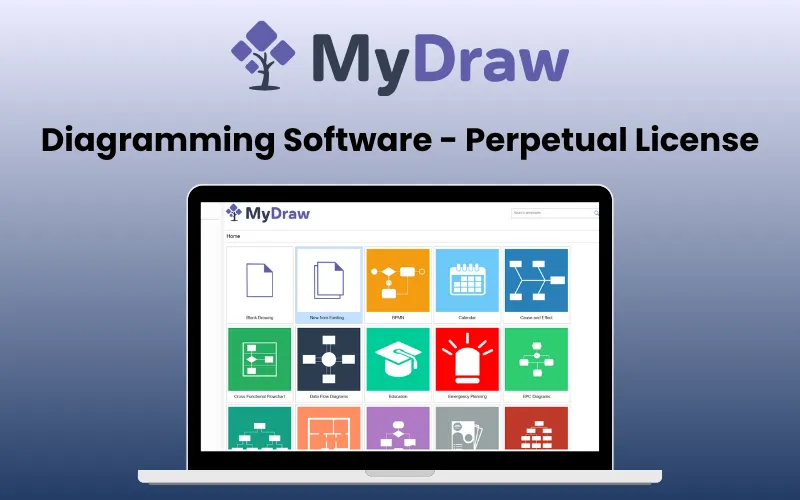
Visualize your ideas like a pro, whether it’s business workflows or family trees. Turn concepts into polished diagrams effortlessly with –
MyDraw – Diagram Generator
MyDraw is a professional diagram generator that enables you to create
Flowcharts
Organizational charts
Mind maps
Network diagrams
Family tree diagrams and more
MyDraw supports multiple pages, layers, rich text, tables, hyperlinks, and diagram automation.
It provides an intuitive interface, pre-built shape libraries, and rich templates that make diagram creation quick and visually appealing.
With Visio compatibility, multi-format import/export options, automatic layouts, and smart connectors, MyDraw easily solves the common problem of spending hours manually arranging shapes and lines.
Introduction To MyDraw:
Features Of MyDraw – Diagram Generator:
Core Features:
Diagram Types & Templates: Flowcharts, org charts, mind maps, network diagrams, workflow, cause-and-effect, cross-functional diagrams, family trees, SDL, Venn, and more.
Pre-built Shape Libraries / Stencils: Thousands of smart and clip-art shapes categorized by topic; ability to import Visio stencils (VSSX, VSS, VSX).
Visio Compatibility: Load and save Visio drawings and stencils with high fidelity.
Import / Export Formats: DXF (AutoCAD), ESRI Shapefile, raster images (BMP, PNG, JPEG, TIFF), vector (SVG, EMF), PDF, Web/HTML, etc.
Multiple Pages / Document Structure: Support for multiple pages in one document, page navigation, and page properties (size, orientation, borders, scale).
Editing & Layout Features:
Drawing Tools: Lines, arcs, cubic Bézier curves, freehand (NURBS), connectors, etc.
Edit Geometry: Modify control points, shape geometry, merge/subtract/intersect shapes (shape composition).
Automatic Layouts / Routing: Multiple layout algorithms, routing rules (grid routing, avoiding obstacles, line jumps).
Snap / Glue / Smart: Connectors Snap to grid, rulers, guidelines; connectors re-adjust when shapes move; glue behavior.
Auto Connect / Mini Toolbar: Quickly add and connect shapes via on-shape arrows / mini toolbar shortcuts.
Layers: Organize drawing items on multiple layers with show/hide and lock/unlock support
Text, Tables & Rich Content:
Rich Text & Formatting: Fonts, paragraphs, character formatting, bullets, and numbering.
Tables: Insert tables with merge/split, control of cell borders, background, connection ports, and more.
Hyperlinks / Cross-references: Shape hyperlinks (URL, files, pages, bookmarks).
Automatic Text Fields: Date, time, hyperlink field, and fields with formatting and auto-update.
Spell Check / Language Support: Spell checking and multi-language text review options.
Data, Automation & Integration:
Mail Merge: Merge a template with data (e.g. Excel / ODBC) to generate documents and send via email.
Data Import for Diagrams: Import org charts or flowcharts from Excel (with mapping of data to shapes)
Family Tree / GEDCOM Support: Import/export genealogical data in GEDCOM format.
Diagram Automation: Automate repetitive diagram tasks to save time and maintain consistency.
Jira® Integration: Connect diagrams directly with Jira projects to visualize workflows and issues.
Confluence® Integration: Embed and update diagrams within Confluence pages for team collaboration.
UI / Usability & Customization:
Ribbon & Command Bar UI: Modern ribbon interface, with the option to switch to traditional command bar UI
Themes & Shape Styles: Predefined document themes shape styles. Changing the theme updates all shapes.
Library Browser & Search: Browse libraries or search for shapes; drag & drop into the diagram.
Rulers, Guidelines, Grids: Rulers on margins, custom guidelines, grid patterns, view options, snap/alignment aids, and others.
Page View Modes & Zooming: Normal, fit to page/width/height; zooming; pan/zoom window overview.
Barcodes: Generate and embed barcodes directly within diagrams for inventory, workflow, or tracking purposes.
Printing & PDF: Print diagrams with customized page setups or export to PDF for professional documentation.
Image Generation: Export diagrams as raster (BMP, PNG, JPEG, TIFF) or vector (SVG, EMF) images for presentations and reports.
System Requirements:
Windows:
OS: Microsoft Windows 8/8.1/10/11 (32-bit & 64-bit)
RAM: 1 GB
HDD: 600 MB free disk space
Monitor: display resolution of at least 720p (1280 x 720).
MyDraw will work best at a resolution of WXGA (1366 x 768) or higher.
Macintosh:
OS: macOS X 10.9 or higher
RAM: 1 GB
HDD: 600 MB free disk space
Monitor: display resolution of at least 720p (1280 x 720).
MyDraw will work best at a resolution of WXGA (1366 x 768) or higher.
Preview Of Diagrams Generated By MyDraw:
Heart Anatomy Diagram
Organizational Chart
Connecting Shapes
Testimonials:
MyDraw is terrific! The purchase process was easy to navigate and the software is easy to use!
Perpetual license
Use templates or free drawing
Integration with mainstream software programs (e.g., MS Word, Visio, etc.)
Akshay Rajaram
Affordable, full-featured Visio alternative.
It was very easy to pick up and start making charts. It has everything I need from a Visio-like program at a fraction of the cost.
Fulfilled my need for chart making at a fraction of the cost of Visio.
Alastair Jones
Viable alternative for Visio if you’re using a Mac.
MyDraw is available for Mac. The cost is excellent – especially compared to Visio. The feature set is very good for a product with this price point.
Bill Ramsay
Deal Terms:
How to download/activate this product?
After completing your purchase, you will receive an instructions document. Follow the instructions in this document to redeem the coupon code and get access to this product.
What is the validity of the license key/coupon code? (Within how many days must the coupon code be redeemed?)
The coupon code must be redeemed within 30 days of the purchase date.
Is a Lifetime Subscription available for this product?
Yes, a lifetime subscription* is available with this deal for MyDraw.
*LIFETIME MEANS LIFETIME OF THE PRODUCT.
We try to get great products with longevity for our customers, but products do get acquired, or sometimes the products go bankrupt. Many of these products are from startup companies, giving us a great deal for our customers. But in case of an unfortunate situation where the product does not last long, there is not much DealFuel can do about it.
Are updates available for this product?
Yes, free lifetime updates are available for the lifetime of the machine, while the Perpetual licensing is supported.
To know more about the Perpetual liscensing refer to – https://www.mydraw.com/order-licensing.
Is support available for this product?
Yes, free technical support is available for lifetime with this product.
For support, contact – support@mydraw.com.
Is this deal exclusive to new users?
Yes, this deal is available only for new users of MyDraw.
How many users can use the license key/coupon code?
One coupon code can be used for one user/account.
Are the coupon codes stackable?
No, the coupon codes are not stackable.
Can this product be accessed on all devices?
No, MyDraw is accessible only on Windows and Mac Desktops.





Reviews
There are no reviews yet.