Description
This post contains affiliate links.
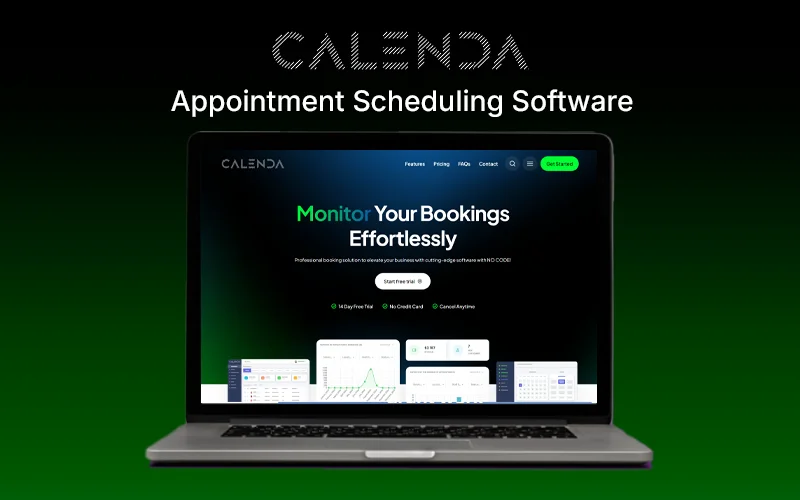
Managing appointments, staff schedules, and customer bookings can be stressful and time-consuming. To solve this problem, DealFuel introduces –
Calenda – Appointment Scheduling Software.
Calenda is a no-code booking management platform that helps businesses streamline their appointments, optimize staff schedules, and enhance customer satisfaction.
This platform eliminates manual errors and saves time with features like-
Multi-location management,
Staff scheduling,
Recurring appointments.
The intuitive, no-code interface allows you to customize workflows, branding, and notifications effortlessly.
Plus, Calenda offers unlimited bookings, so you never have to worry about limits.
It includes online payment options to make transactions easier.
You can integrate it with popular tools like Zoom, Google Calendar, WhatsApp, and more.
IMPORTANT NOTE: Calenda currently allows appointment scheduling in US & Canada only.
Features of Calenda – Appointment Scheduling Software:
Multi-Location Management:
Manage multiple business locations efficiently within a single platform.
Staff Management:
Oversee staff schedules, roles, and responsibilities to ensure smooth operations.
Fully Customizable:
Tailor the software to fit your specific business needs and branding.
Responsive:
Access and manage your operations from any device, ensuring flexibility and mobility.
Custom Forms:
Create and utilize personalized forms for various client interactions and data collection.
Rating and Reviews:
Collect and display client feedback to improve services and build trust.
Custom Duration:
Set specific time frames for classes, appointments, and sessions as per your requirements.
Workflows:
Automate routine tasks and processes to enhance efficiency.
Reminders:
Send automated reminders to clients and staff about upcoming appointments or classes.
Invoice Generation:
Automatically create and send invoices for services rendered.
Coupons:
Offer discounts and promotions through customizable coupons.
Group Appointments:
Schedule and manage group classes or appointments with ease.
Reporting Module:
Access reports on various aspects of your business for informed decision-making.
Booking Limit Manager:
Control and limit the number of bookings per staff, service, or location to prevent overbooking.
User Role Manager:
Define and assign specific roles and permissions to staff members.
Google ReCaptcha:
Enhance security by implementing Google ReCaptcha to prevent spam and unauthorized access (pre-installed).
Manageable Calendar:
Utilize a dynamic calendar to oversee all appointments, classes, and events.
Telegram Notifications:
Receive instant notifications via Telegram for important updates (for staff).
Webhook (Zapier, Make, etc.):
Integrate with any application using webhooks for seamless data flow.
Conditional Prices:
Set pricing based on specific conditions or criteria.
Dedicated Dashboard:
Access a centralized dashboard for a comprehensive view of your business metrics.
Extra Service:
Offer and manage additional services beyond standard offerings.
Multi Booking Feature:
Allow clients to book multiple services or classes in a single transaction.
Local Payments:
Accept payments at your stores with ease.
Deposit Payments:
Enable clients to pay a deposit upfront and the remaining balance later.
Share & Embed:
Easily share your calendar link, send a generated QR, or embed it in your website.
Custom Appointment Statuses:
Define and manage different statuses for appointments to track progress.
Recurring Appointments:
Set up and manage appointments that recur on a regular basis.
Customer Panel:
Provide clients with a portal to view and manage their bookings and information.
Payment Links:
Generate and send payment links to clients for easy transactions (Paypal & Stripe only).
Holidays/Breaks/Days Off:
Manage and set non-working days for the business or specific staff to reflect in scheduling.
Online Payments:
Facilitate online payment processing for client convenience (Stripe, PayPal, or any other server provider).
Google Calendar Integration:
Sync appointments and schedules with Google Calendar for cohesive management.
WhatsApp Notification:
Send notifications and reminders to clients via WhatsApp.
SMS Notification:
Utilize SMS to notify clients about appointments and updates.
Email Notification:
Send email notifications for confirmations, reminders, and updates.
Taxes Module:
Manage and apply taxes to services and products as required.
Zoom Integration:
Integrate with Zoom to schedule and manage virtual meetings seamlessly.
Visual Text Editor:
Modify any text in your booking panel to suit your business needs.
Preview of Calenda – Appointment Scheduling Software:
Dashboard
Calendar
Payments
Reports
Services
User Role Manager
Customizable Appearance
Appointments
Deal Terms:
How to download/activate this product?
After completing your purchase, you will receive an instructions document. Follow the instructions in this document to get access to Calenda – Appointment Scheduling Software.
What is the validity of the activation license key/code? (Within how many days must the code be redeemed?)
The coupon code must be redeemed within 30 days from the date of purchase.
Is a Lifetime Subscription available for this product?
No, an Annual Subscription is available for this product with this deal.
Are Annual Updates available for this product?
Yes, updates are available for free during the subscription period.
Is support available for this product?
Yes, support is available for this product.
For support, contact – support@calenda.tech.
How many users can use the license key/coupon code?
1 coupon code can be used by 1 user/account.
Are the coupon codes stackable?
No, the coupon codes are not stackable.
Is this deal for new users only?
No, this deal is available for both new and existing users of Calenda.
Can this product be accessed on all devices?
Yes, Calenda is accessible on all devices with a good internet connection. However, it is recommended that you use it on laptops and tablets for a better staff experience.



Reviews
There are no reviews yet.